Checks
Checks everything a site needs.
Six kinds of check, each with its own interval, timeout and retries.
- HTTP & health
- SSL certificates
- DNS
- Domain expiry
- TCP & ping
- Webhooks & jobs
Watchdog lives in your Mac's menu bar and checks your websites and APIs around the clock: HTTP, SSL, DNS, domains, ports and webhooks. From your own Mac.
Free · No account · macOS 15 or later
Deep in a refactor.
3:11 PM · Focus on, headphones on. Watchdog sits quietly in the menu bar.
Payments stops answering.
3:12 PM · The icon turns red on the next check. A blip is re-checked within seconds first.
It gets through your Focus.
3:12 PM · A Time Sensitive notification, with the reason right in it.
Critical? The siren sounds.
3:13 PM · An alarm panel on every Space, even over full-screen apps.
Fixed. Back in the zone.
3:16 PM · Recovered, and how long it was down. Then it goes quiet again.
Features
18 features, free, no plan to upgrade to. Here they are, running.
Checks
Six kinds of check, each with its own interval, timeout and retries.
Alerts
One notification per problem. A siren for the critical ones.
Insight
Uptime to 90 days, p95, and why it broke.
Organize
Groups per client, tags for search, priority for alerts.
Private
Secrets in the Keychain. Offline is never downtime.
History
Uptime from 24 hours to 90 days, response times with p95, where every millisecond went, and the reason in plain words.
Up
https://api.shop.com/healthNormal#api
24 h
100 %
7 d
99.98 %
30 d
99.95 %
90 d
99.91 %
Avg
142 ms
p95
310 ms
Incidents 30 d
2
Response time
1 h24 h7 d30 dLast check · 142 ms
90 days, a dot for every day
The reason, in plain words
Offline-aware
Hotel Wi-Fi, a captive portal, a Mac waking from sleep: Watchdog knows it's your connection, not your server. It pauses, says so, and records “no data”. Never downtime, never a 3 a.m. false alarm.
Your connection is down, not your servers.
Private by design
Watchdog checks a server only after you prove it is yours: one DNS record or one file, once. No account, no backend. Everything stays on your Mac.
Verify that you own Shop
Watchdog checks a server only after you prove it is yours. You do this once; your other devices use the same verification.
Add this TXT record at your DNS provider. It can be removed after verification. Other people's Watchdog values can stay next to it.
Screens
Sample data, real screens.
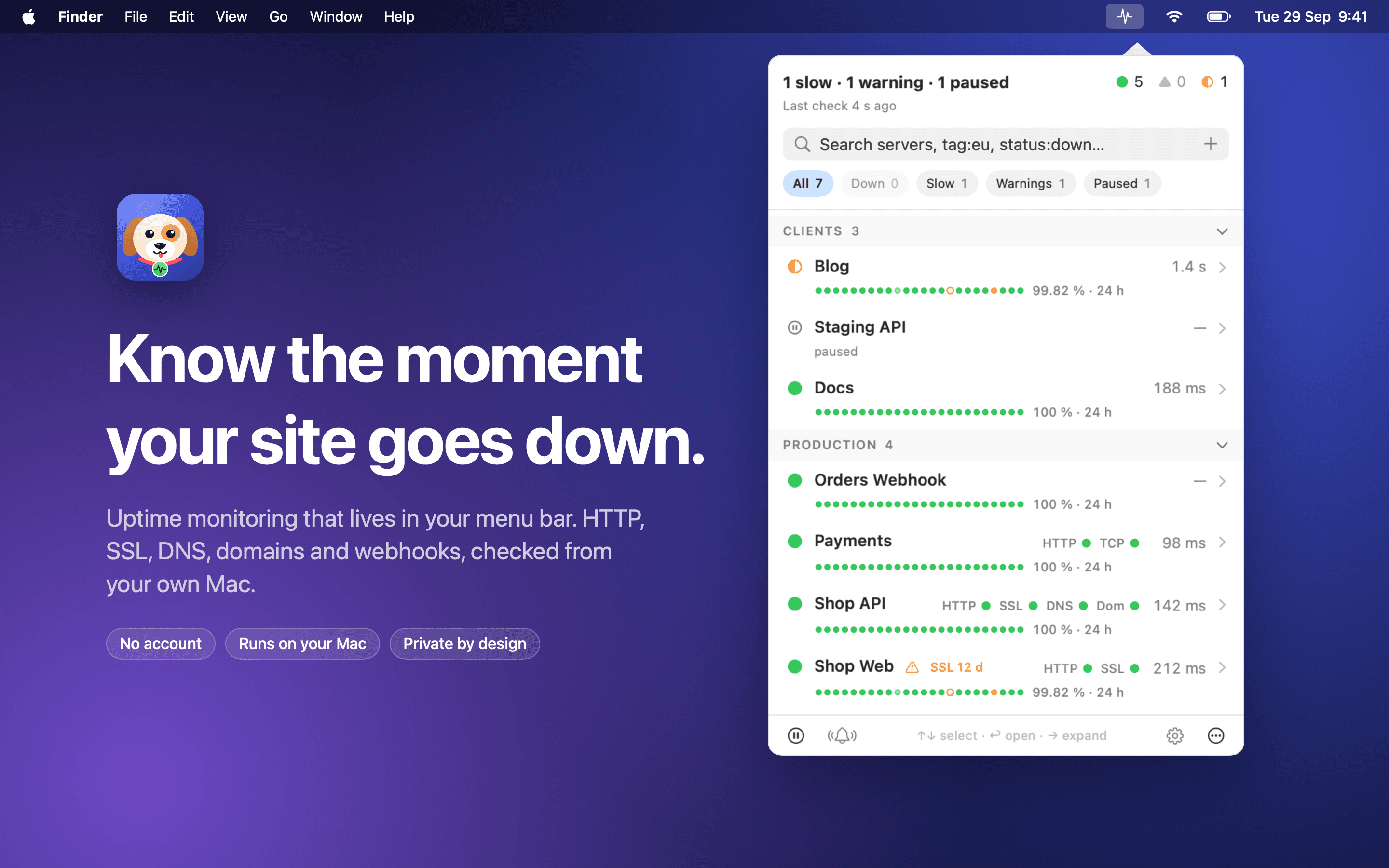
Menu bar
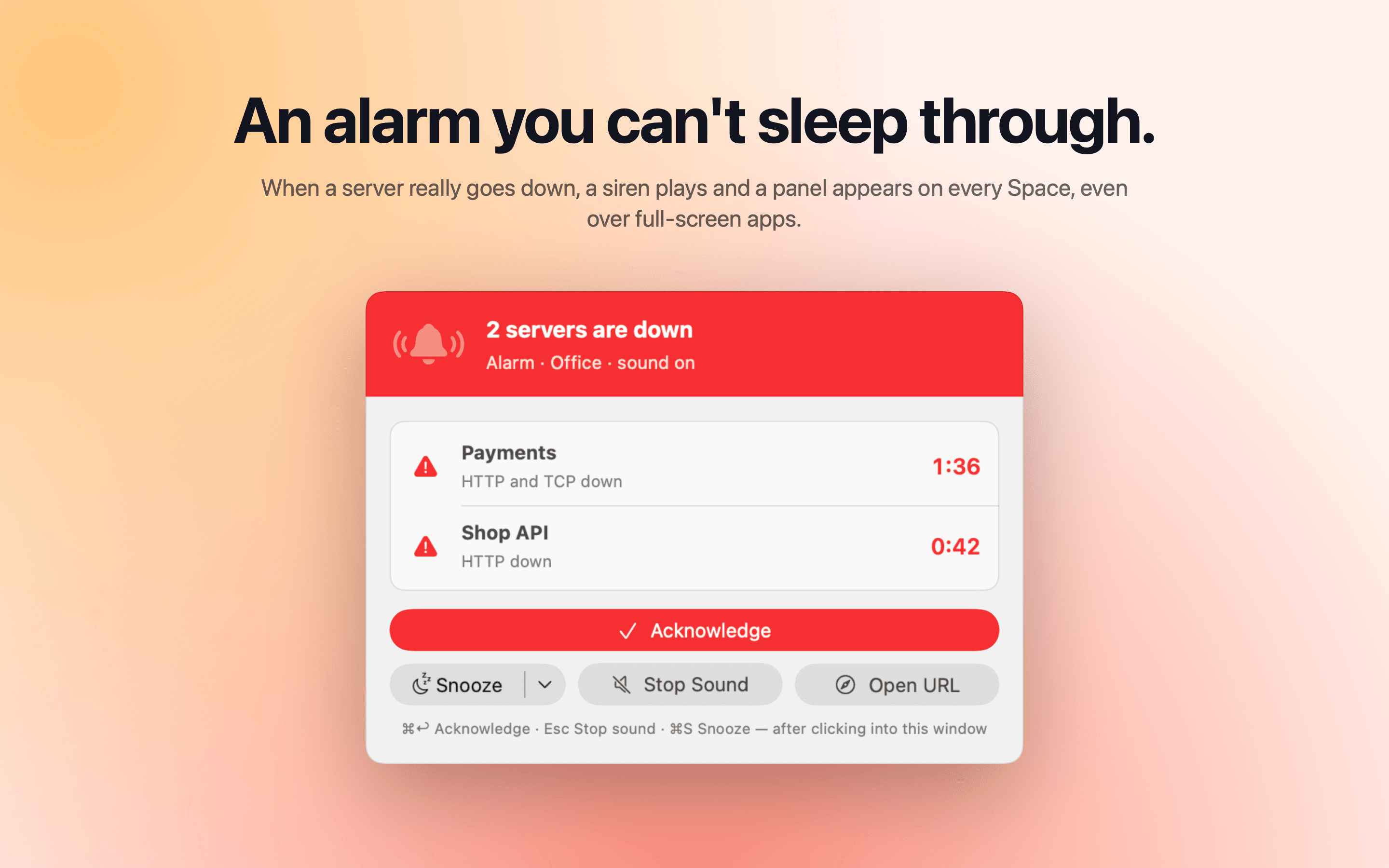
Alarm
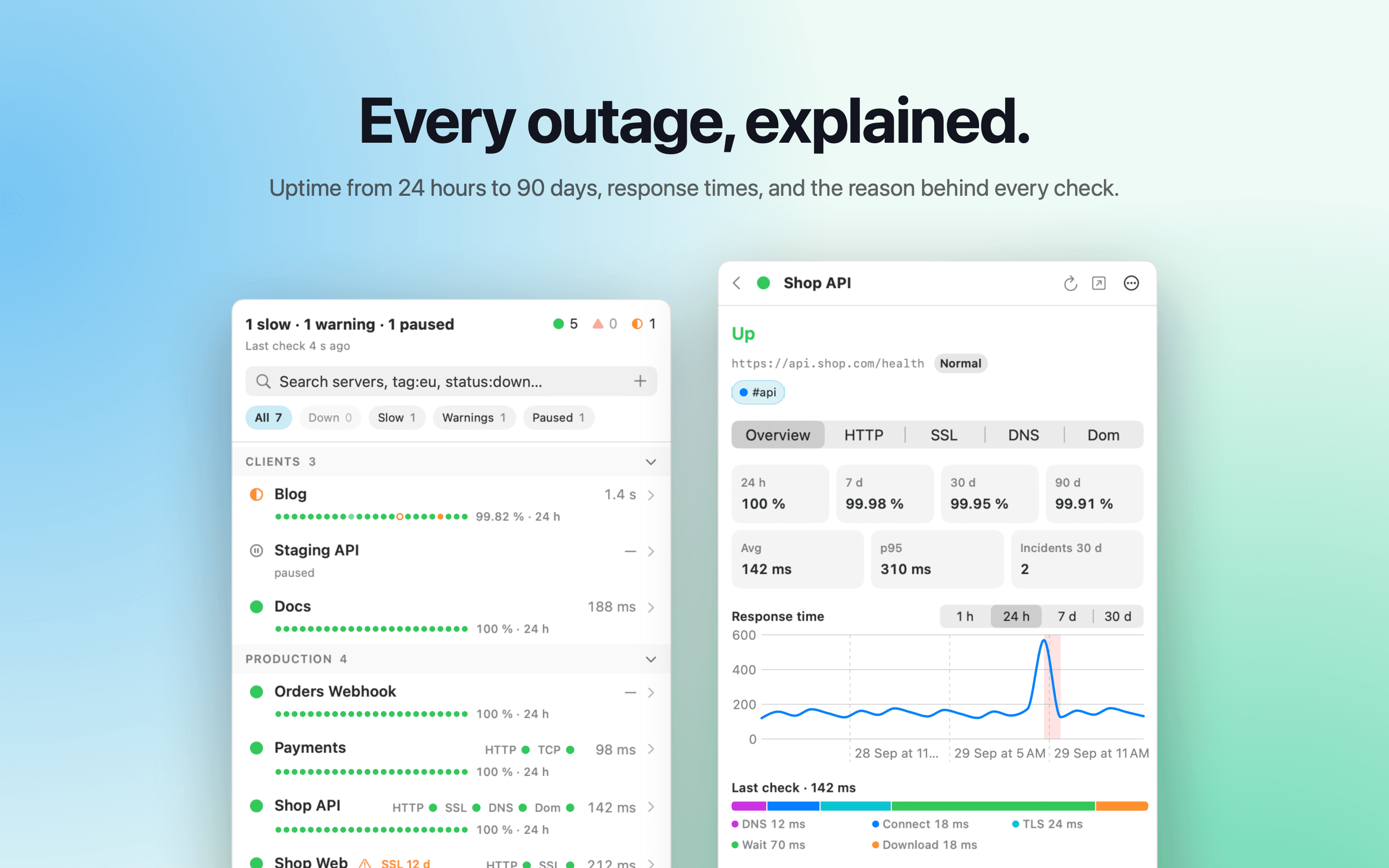
Server detail
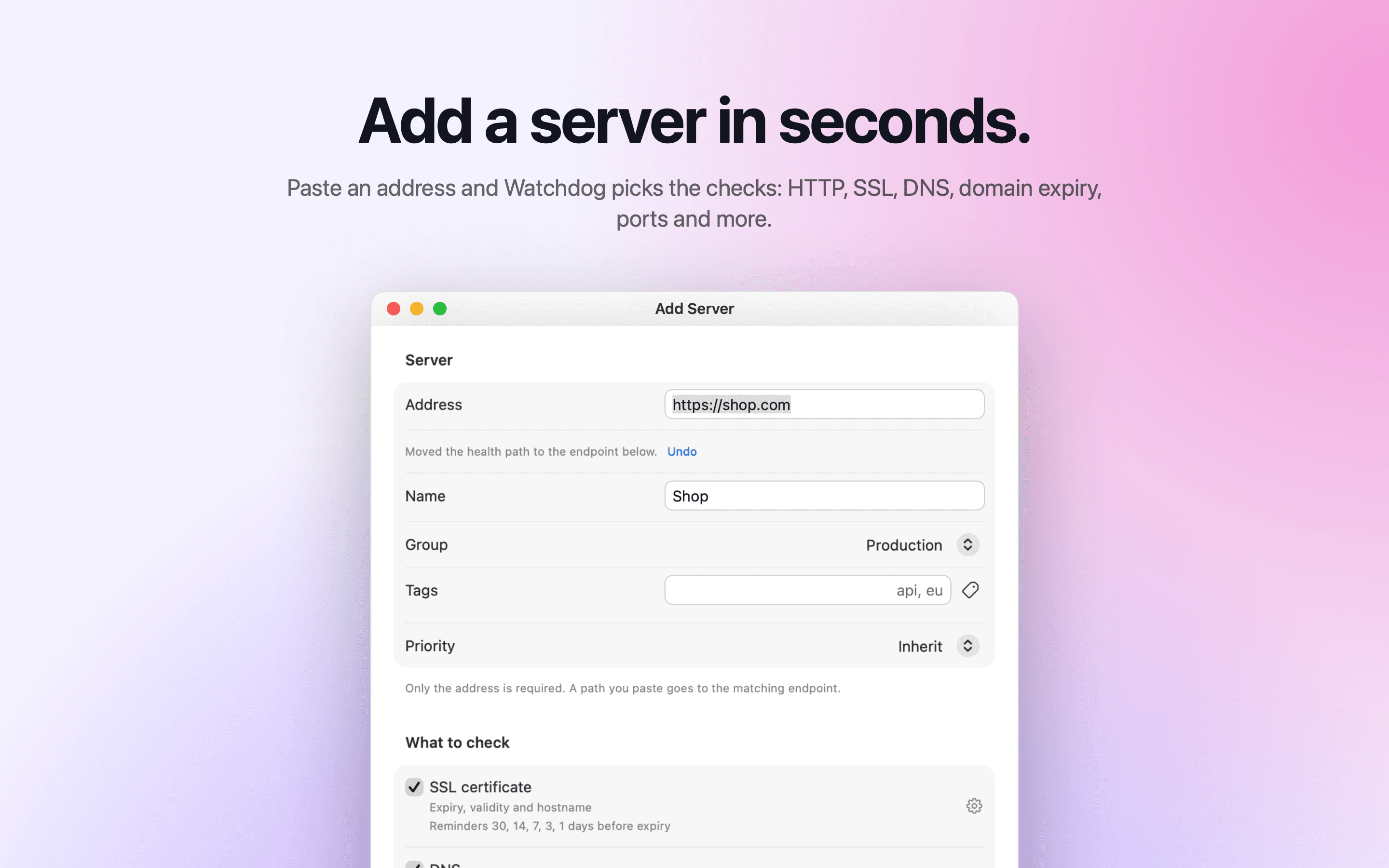
Add a server
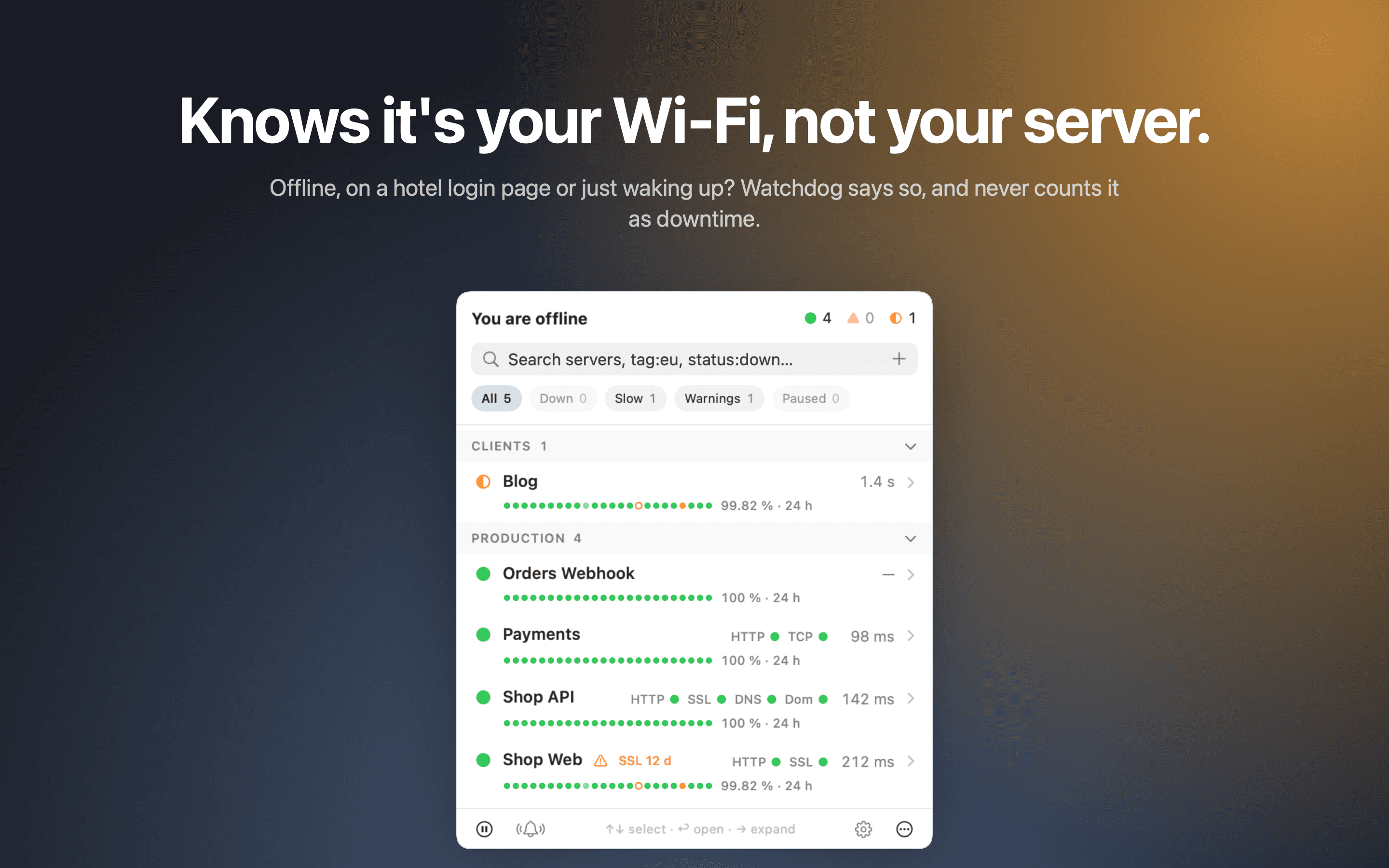
Offline
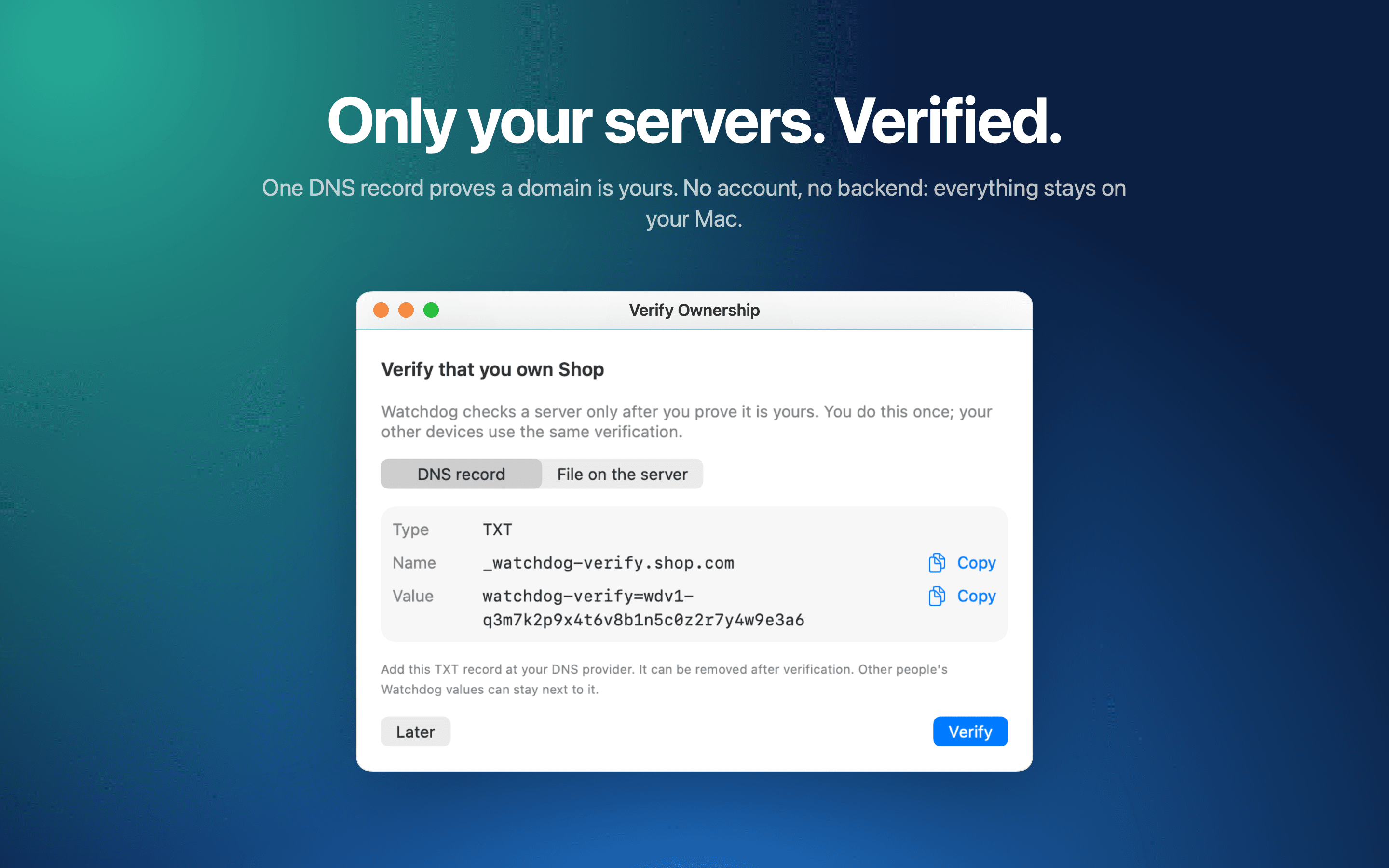
Verify a domain
Get it
Free, no account. Drag it to Applications, add your first server, prove it's yours, and let it keep watch while you sleep.
macOS 15 or later · Apple silicon and Intel